>>Flash Solutions>>Create Slideshow with Transition
Adding transitions to a photo slideshow will make the still photos as dynamic and vivid as a movie. To be an excellent photo slideshow creator, one should be able to provide users with multiple choices of transition effects, while if there are great numbers of slides in the slideshow, it should provide the option to randomize the transitions.
Among such kind of sildeshow makers, Firecoresoft Slideshow Fairy should be your first and best choice. This Flash Photo Slideshow Maker for Mac (Flash Photo Slideshow Maker for Windows) enables users easily create Flash slideshows with their favorite photos, music, transitions and gorgeous slideshow templates for publishing on website, blog, WordPress, Tumblr, MySpace, Blogger, Facebook, etc. By default, the transitions are applied to the slideshow randomly once the photos are imported, but users can also specify the transition for each photo one by one.
Now let me guide you through the way to create photo slideshow with transition on Mac:
 Secure Download
Secure Download
Press the download button above to download the slideshow maker with transition onto your Mac/PC, and the follow the installation wizard to install it.
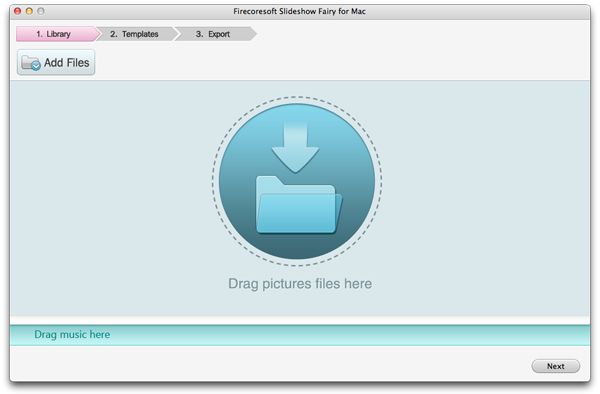
Launch the program, thereafter click the "Add Files" button to import your favorite pictures and music into the slideshow maker. It's also possible to drag and drop the source files onto the main interface directly.
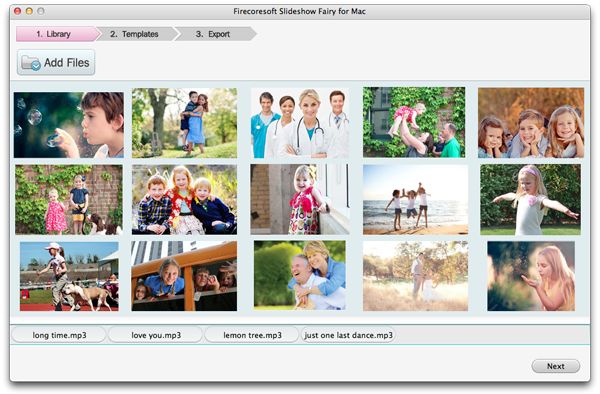
After the photos are added, use the mouse to point at the picture, by doing which four icons with different functions will appear. Click the "gear" icon to go to the "Edit" panel where you can adjust the transitions as well as cropping the photos and apply special effects to them. Note that by default, the transitions are applied to the slideshow randomly, but you can click the transition's thumbnail between two pictures to change the transition effect.

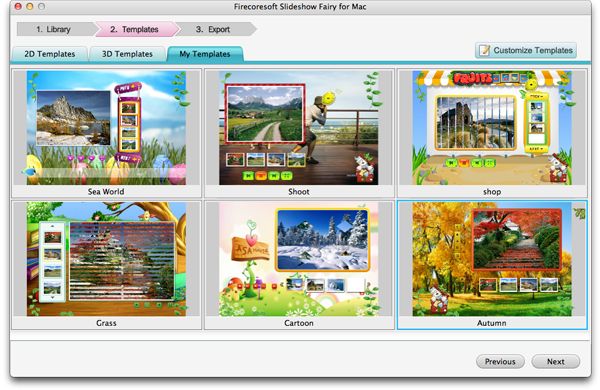
When you finish setting the transitions, click "Complete" and "Next" to move on. The slideshow creator offers you various "2D Templates", "3D Templates" and "My Templates" options. Just pick out or customize a slideshow template you like here.
Now that you are satisfied with the slideshow's effect, the final step is to press the big "Publish" button to begin exporting the Flash photo slideshow. You can save the slideshow as an .swf file, or an HTML file which includes the Flash slideshow and HTML embed code. A Flash gallery is extremely easy and convenient for publishing on website, blog and SNS circles like WordPress, Tumblr, Facebook, etc.

What's Next
Secure Download
 30 Day Money Back Guarantee

Browser compatibility : IE/Firefox/Chrome/Opera/Safari/Maxthon/Netscape
Copyright © 2014 Firecoresoft Studio All Rights Reserved